
Google Ads Cloaking System
350.00 USDT
Product Description
Setup Guide:Click here to enter
I'm back. Today, I'll explain how to use Traffic Bullet.
As shown below:
We can see: Main Site – Main Site Products
Subsite – Subsite Products
and Access Rules
The basic idea is that the main site redirects visitors to a subsite.
For example, if the main site is zhu.google.com and the subsite is zi.google.com,
then zhu.google.com will redirect to zi.google.com.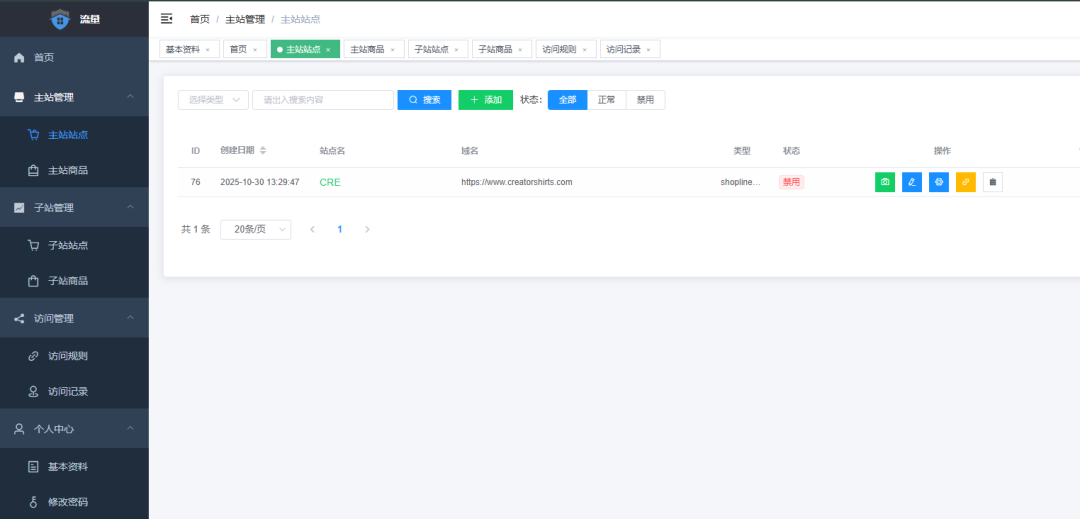
Let's start with the main site.
Main Site Configuration:


Adding Products to the Main Site
There is currently a bug that prevents products from being added because the URL field is missing. As a result, the product cannot be added from the frontend and must be edited manually.
Modify it as shown below.

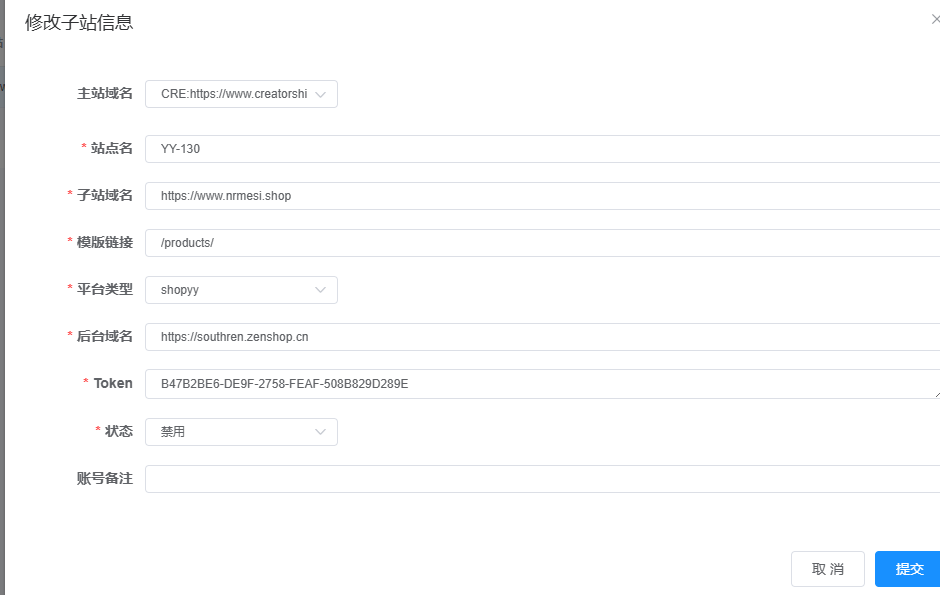
Adding a subsite works the same way as adding a main site; the only extra step is selecting the corresponding main site.
Everything else is basically the same.

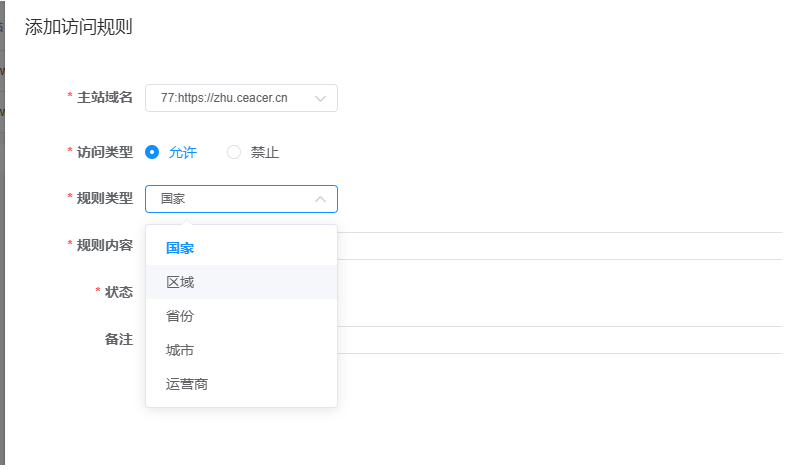
Access rules must be configured. If no rules are set, no redirects or access restrictions will be applied.

You can allow or block visitors by ISP/carrier, country, region, state/province, or city. Both Chinese and English values are supported.

Here is a simple example:
For example, I can allow visitors from the United States while blocking the Google ISP/carrier. If a visitor is detected as using that ISP/carrier, access will be denied.
If anything is unclear, feel free to leave a comment below.